Download eVSM
Download the installation kit in EXE format at:
https://evsm.com/sites/
CD-ROM (msi) version in a ZIP file can be downloaded from:
Download the installation kit in EXE format at:
https://evsm.com/sites/
CD-ROM (msi) version in a ZIP file can be downloaded from:
If you see this message when attempting log in through the eLeanor control panel:
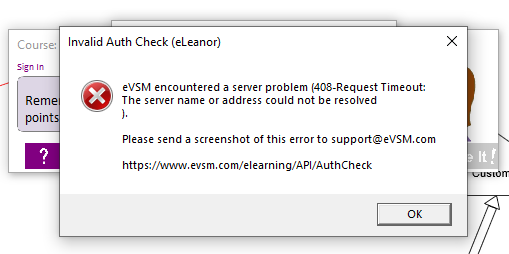
Then:
If you see a message like the following pop-up while using eVSM, you can click Yes and continue.
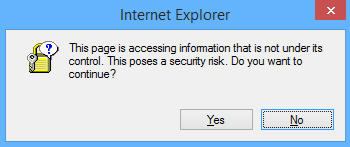
To eliminate the pop-up, here are the recommended steps:
If Visio Crashes when opening some files, or when navigating between pages, try disabling the enhanced metafile optimizations in the "Visio Options > Advanced" dialog. Note, you will need to exit Visio and restart for the changes to take effect.
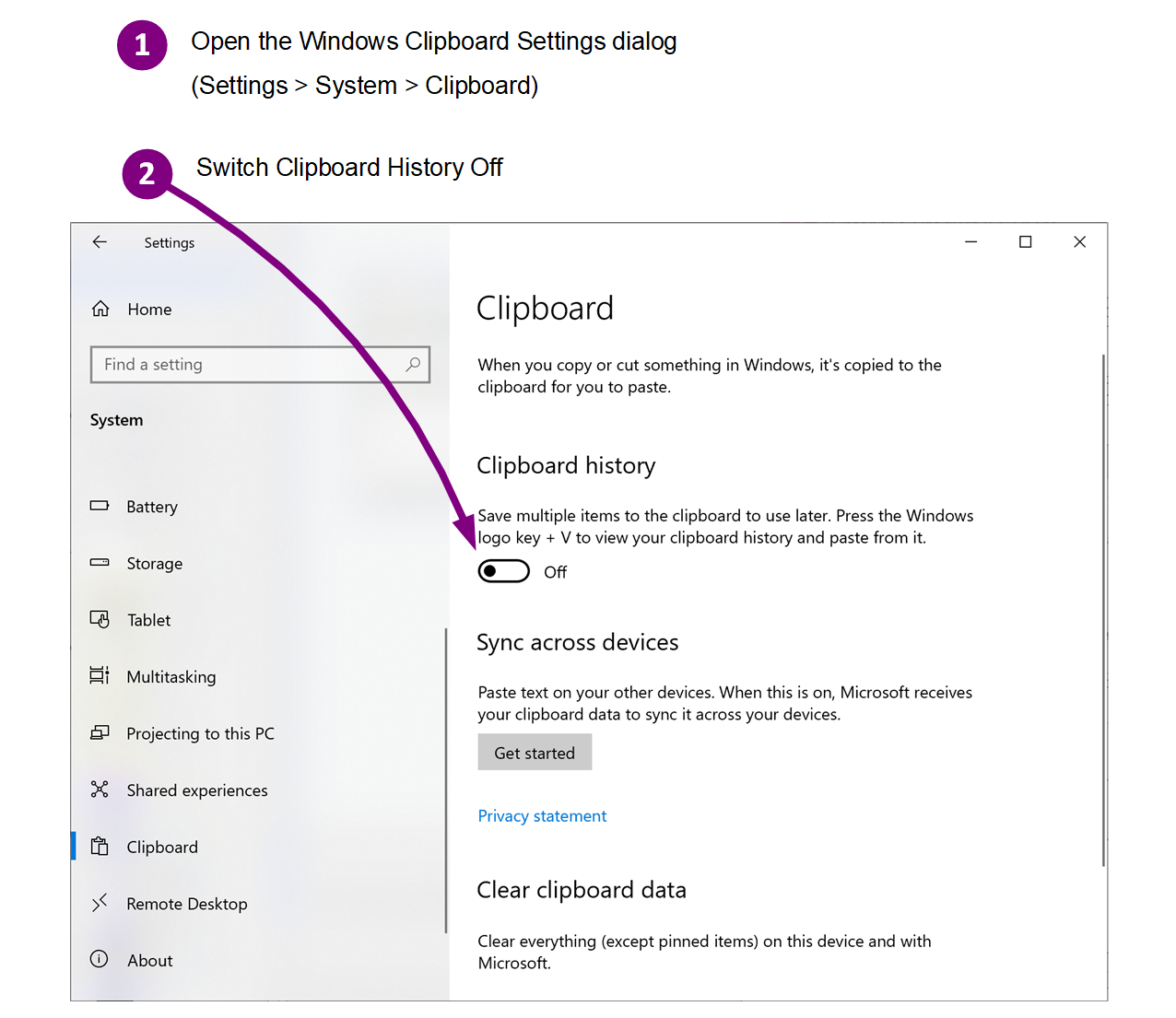
If you see an error saying "The clipboard is in use and cannot be opened; please try again. If the clipboard still cannot be opened, restart your computer...", reboot the PC and try again. If that does not resolve the issue, then you need to switch the Windows clipboard history Off. Steps:
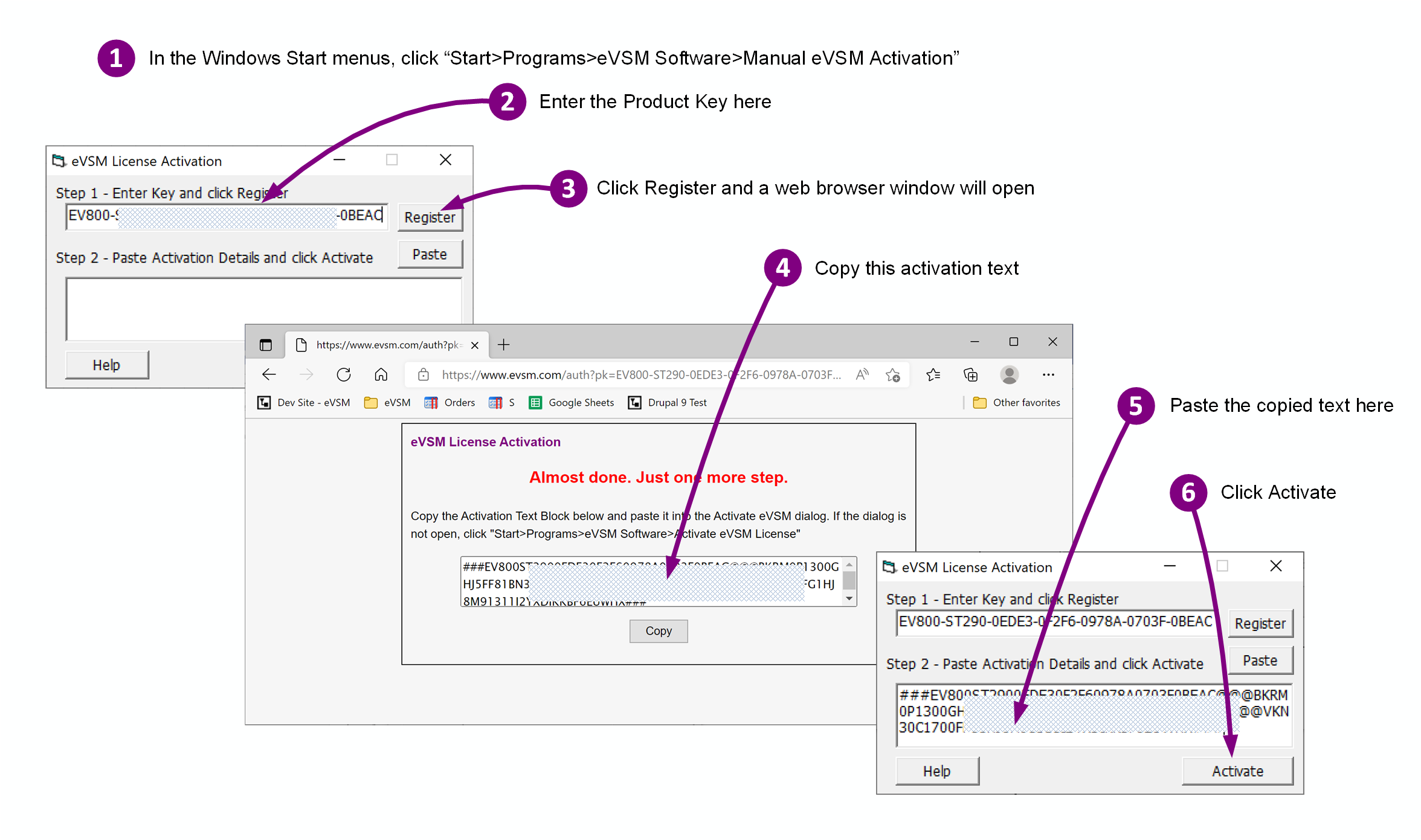
For the event of server connection issues, a manual activation function is available. Here are the steps to use it:
To access the full eLeanor functionality, you need to:
Item 1 is required for all users. Item 2 is optional, but if you skip it, your grades will not be recorded on the server.
What are Cookies?
Cookies are a kind of short term memory for the web. They are stored in your browser and enable a site to ‘remember’ little bits of information between pages or visits.